
Day 2: Spotting Phishing Red Flags
Phishing emails are designed to look convincing at a glance, but almost every scam leaves behind subtle clues. Learning to spot these red flags takes less than 30 seconds once you know where to look.
Anatomy of a Phishing Email
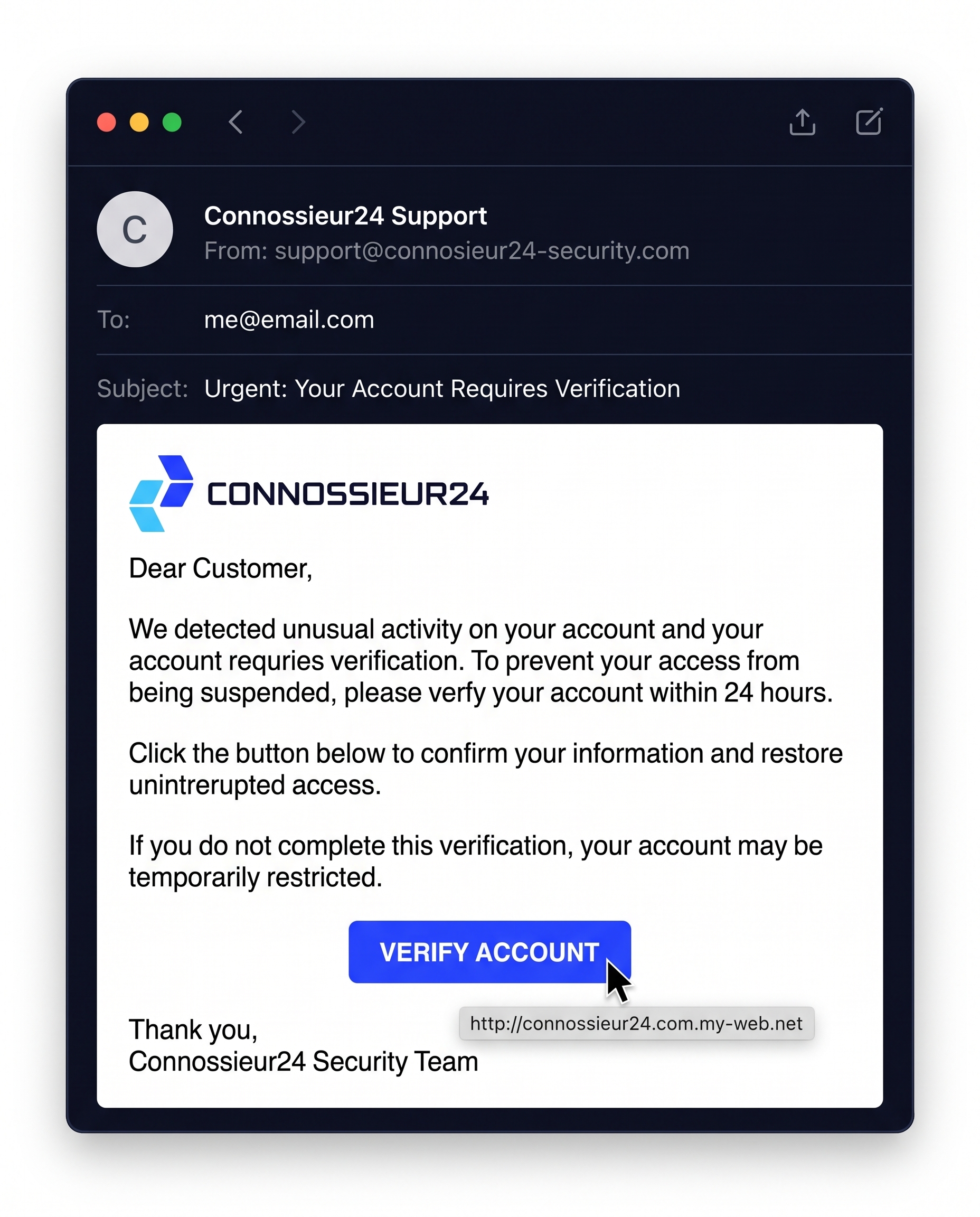
Take a look at this sample security alert. On the surface, it uses familiar branding, clean design, and urgent language. To an untrained eye, it looks like an authentic warning that requires immediate action.
Let's break down the hidden warning signs inside this message.
1. Inspect the Sender and Destination URL
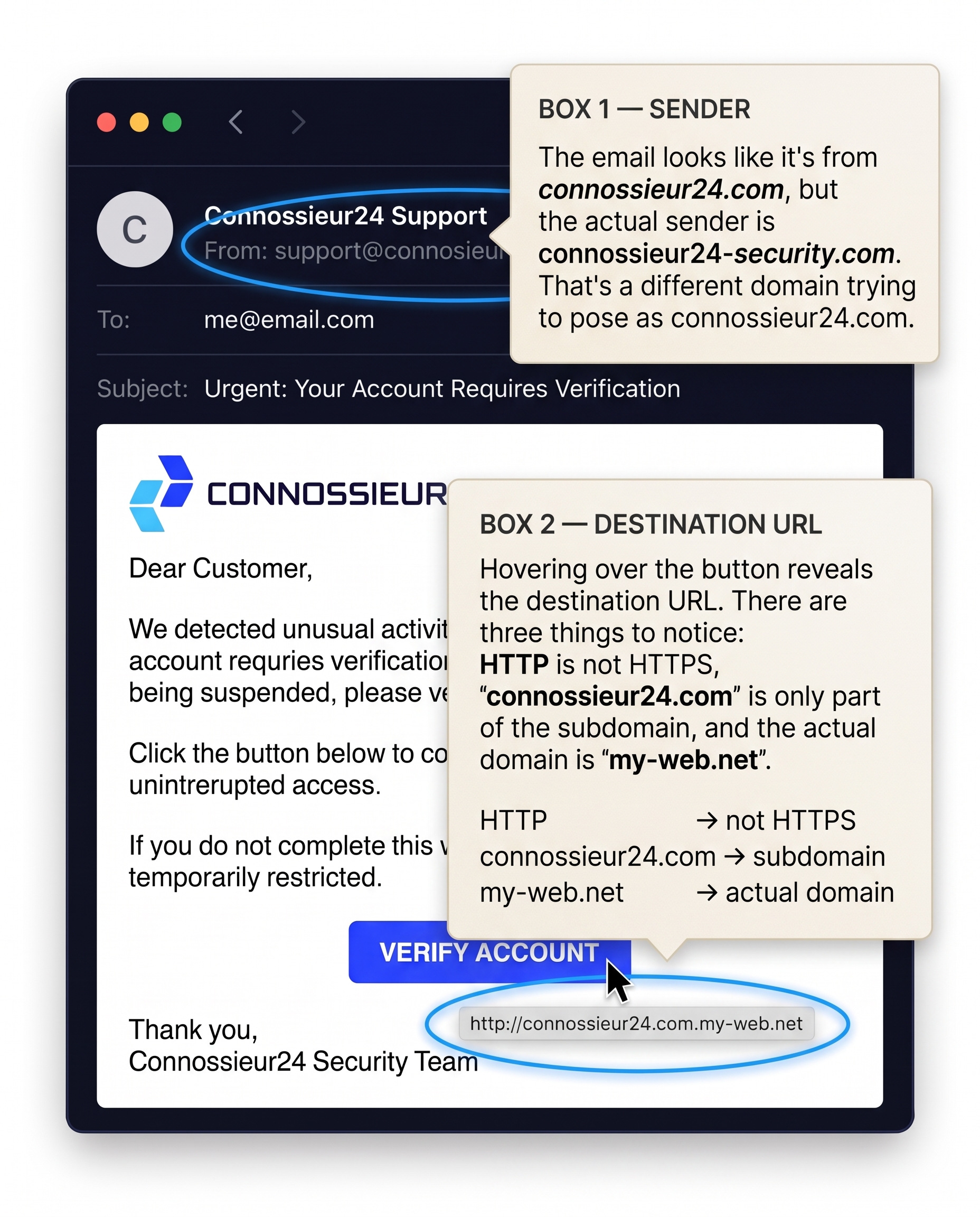
The fastest way to catch a scam is by inspecting the header and hovering over any links:
- The Sender Address: The display name says "Connossieur24 Support," but the actual email comes from
support@connosieur24-security.com. Scammers often register similar-looking domain names to trick you. - The Link Destination: Hovering your mouse over the "VERIFY ACCOUNT" button reveals where the link actually points. Notice two major red flags:
- It uses
http://instead of securehttps://. connossieur24.comis just a fake subdomain—the actual domain hosting the page ismy-web.net.
- It uses
2. Artificial Urgency and Sensitive Requests
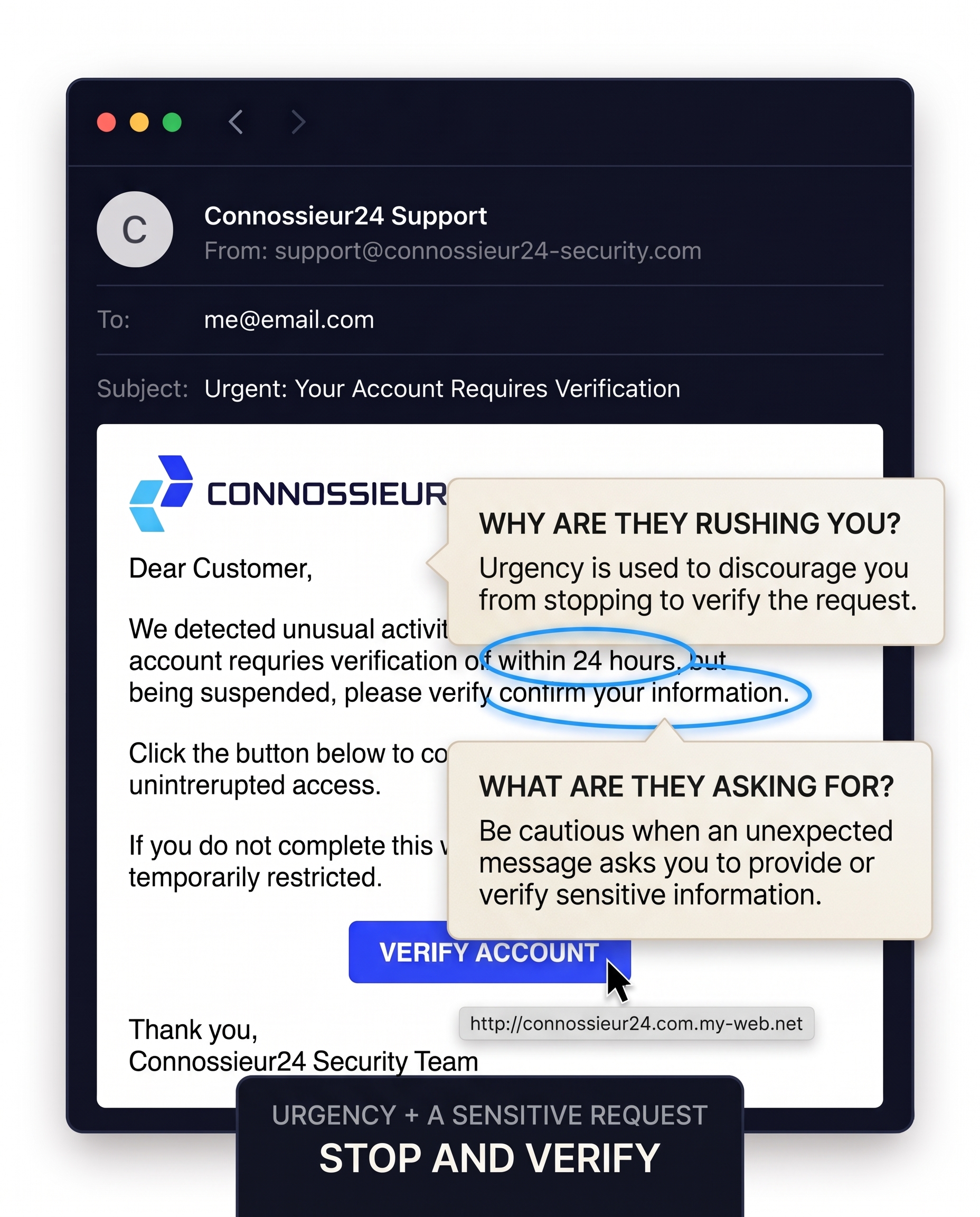
- Why are they rushing you? Scammers use tight deadlines like "within 24 hours" to trigger panic. The goal is to make you act quickly before you have time to double-check the details.
- What are they asking for? Be extremely cautious whenever an unexpected email asks you to confirm passwords, verify personal details, or log into an account.
3. Language, Typos, and Context
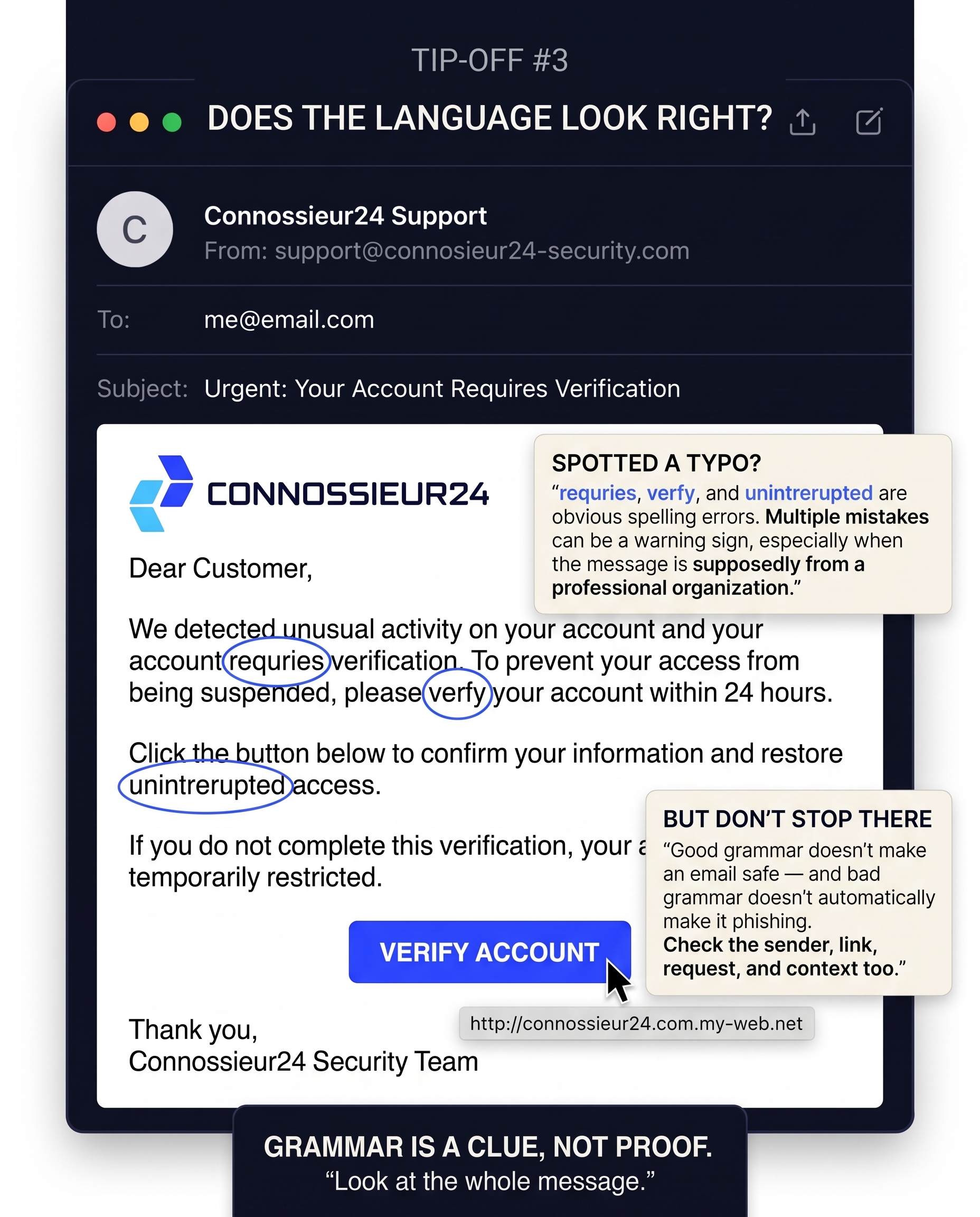
- Spotted a typo? Spelling mistakes like "requries," "verfy," and "unintrerupted" are obvious slip-ups. Legitimate organizations rarely send customer-facing emails with multiple spelling errors.
- Grammar is a clue, not proof: Keep in mind that bad grammar doesn't automatically mean phishing, and perfect grammar doesn't guarantee safety. AI tools now allow scammers to write flawless emails, so always look at the full picture—sender, links, and context.
The Pre-Click Checklist
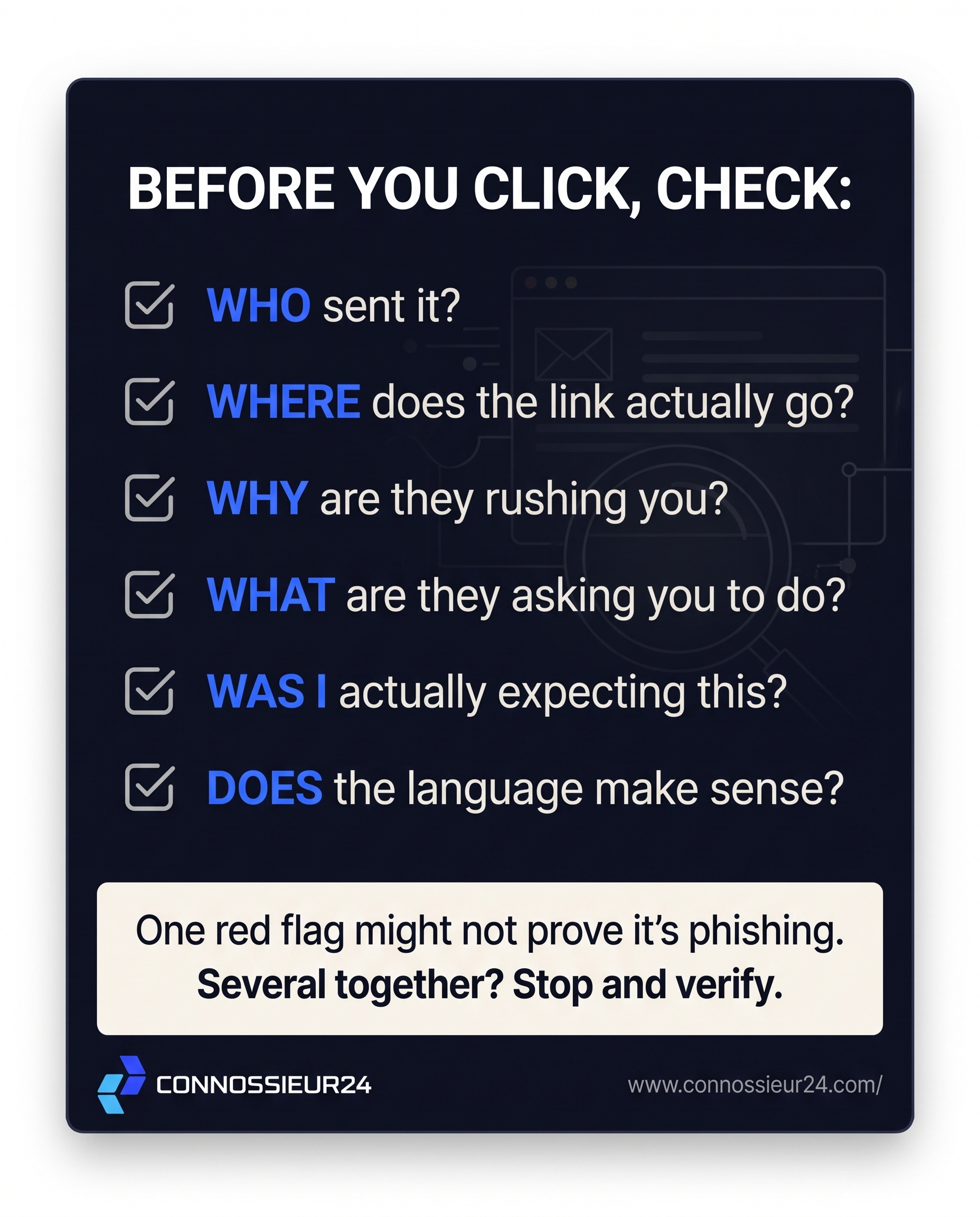
Before clicking any link or entering your credentials, run through this 6-point check:
- WHO sent it? (Check the actual email domain)
- WHERE does the link actually go? (Hover before clicking)
- WHY are they rushing you? (Watch for artificial deadlines)
- WHAT are they asking you to do? (Be wary of sensitive data requests)
- WAS I actually expecting this email?
- DOES the language make sense?
One red flag alone might not prove an email is fake, but several together mean it's time to stop and verify.